
Patient file
Medical record number, quick create with just a name and a phone, duplicate guard, allergy and chronic-condition flags shown everywhere the patient appears, and a timeline of everything that happened.
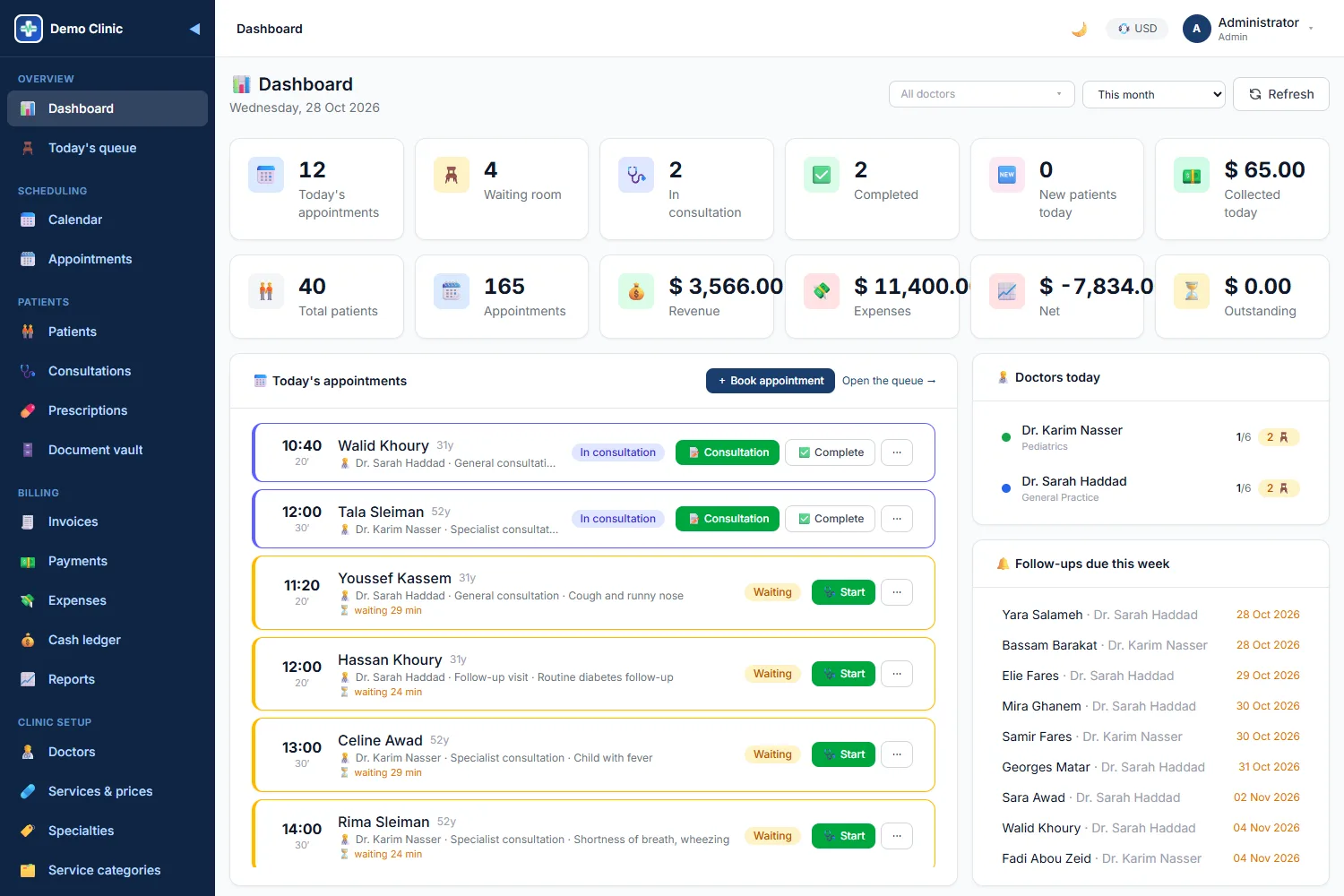
NovaTech Clinic puts the front desk, the nurse, the doctor and the cashier on the same page: who is waiting, who is in consultation, what was prescribed, what is still unpaid. Each clinic gets its own isolated database.
5
modules: patients, EMR, scheduling, billing, reports
7
roles with permissions
3
languages, with right-to-left Arabic
18
reports, exported to Excel and PDF
Stop asking the front desk, scrolling WhatsApp and flipping through paper files. Every question below is one tap away.
Who is waiting right now, and for how long?
Which doctor is free at 10:30 on Tuesday?
What did we prescribe to this patient last time?
Is this patient allergic to anything?
How much did we collect today, by doctor?
Which invoices are still unpaid?
Who missed their appointment this week?
Which follow-ups are due this week?
Five connected modules replace the appointment book, the paper file, the spreadsheet and the receipt book.
Medical record number, quick create with just a name and a phone, duplicate guard, allergy and chronic-condition flags shown everywhere the patient appears, and a timeline of everything that happened.
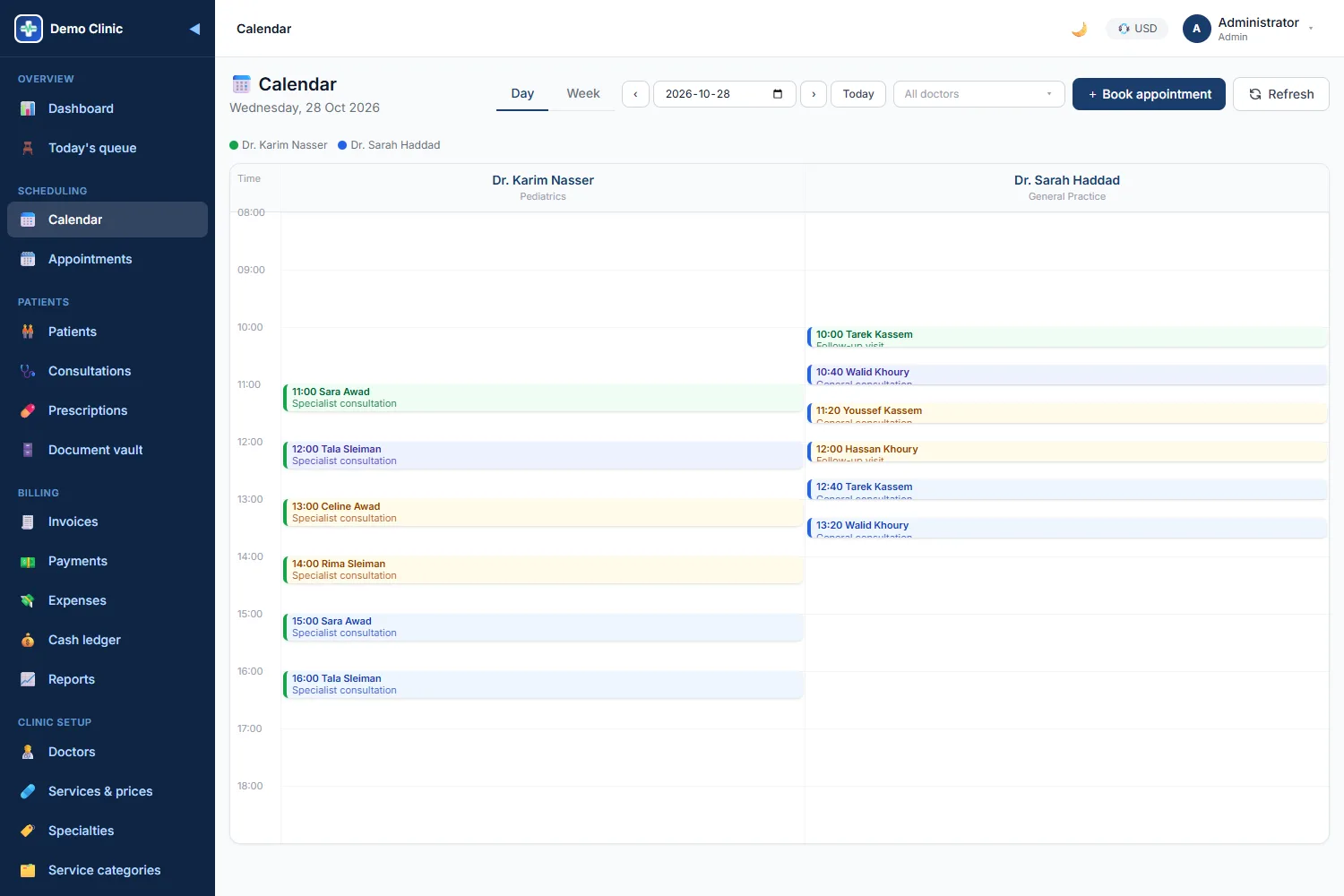
Weekly working hours and time off per doctor, clinic hours as fallback, free-slot picker, conflict and out-of-hours guards you can override, day and week calendars.
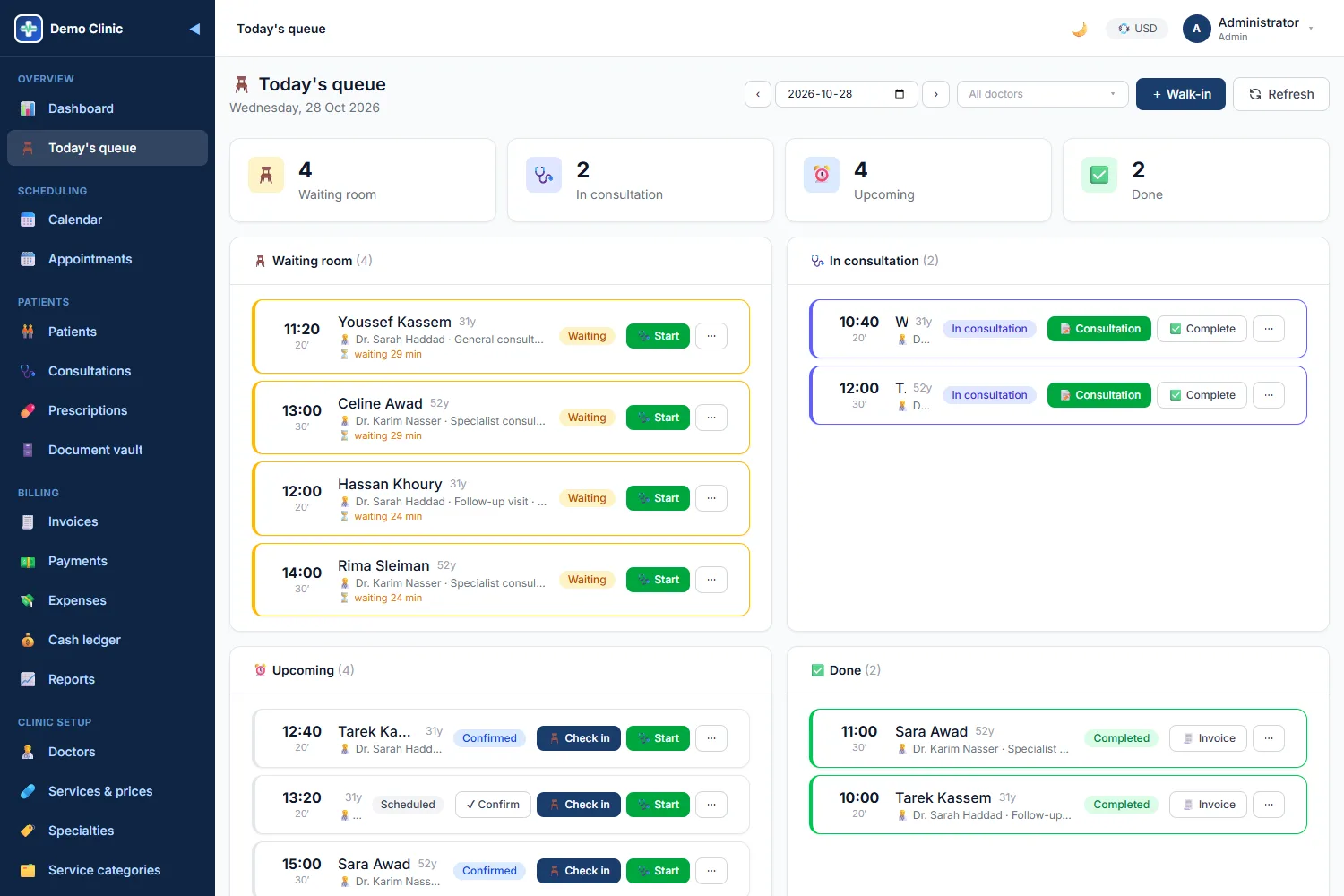
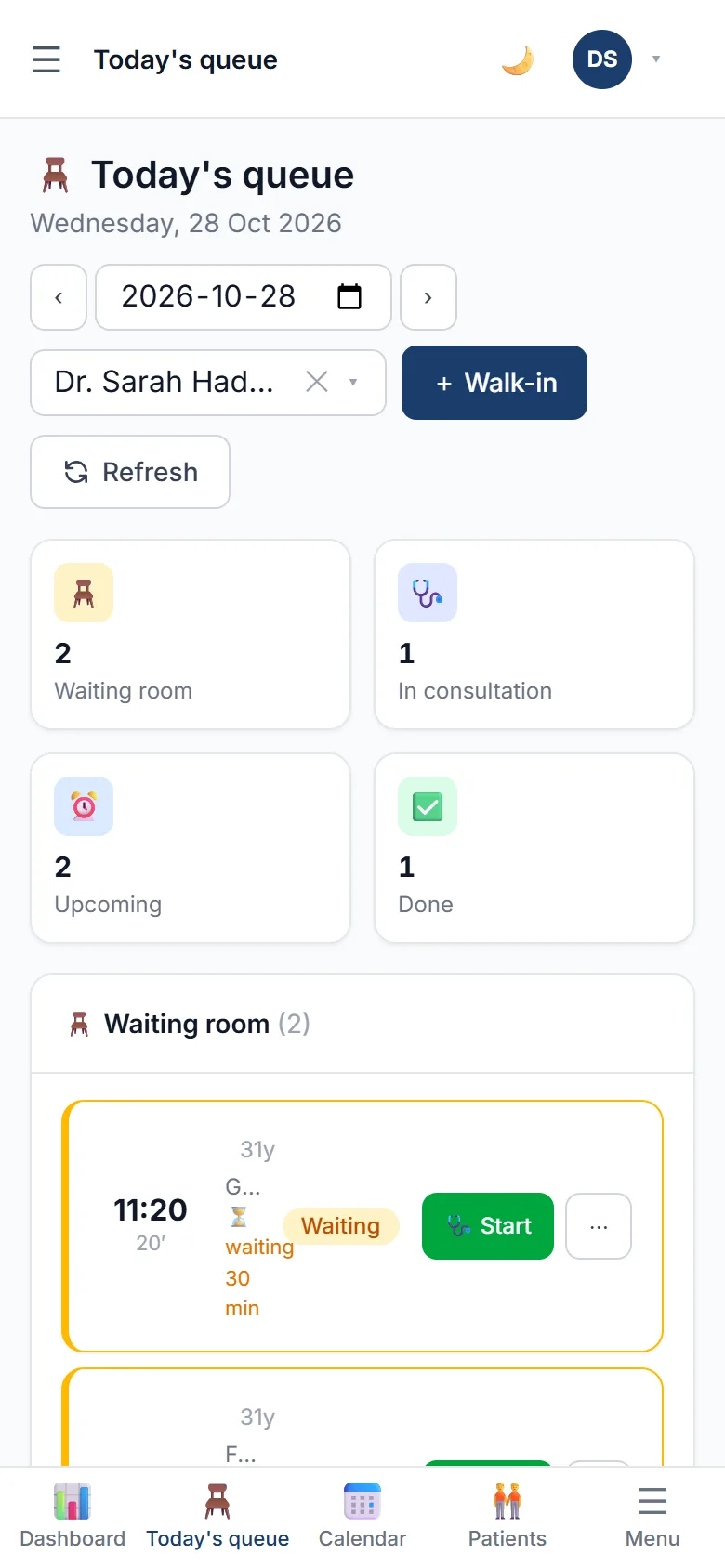
Waiting, in consultation, upcoming and done at a glance, with waiting time per patient. Check in, start and complete with one tap. Walk-ins are checked in automatically.
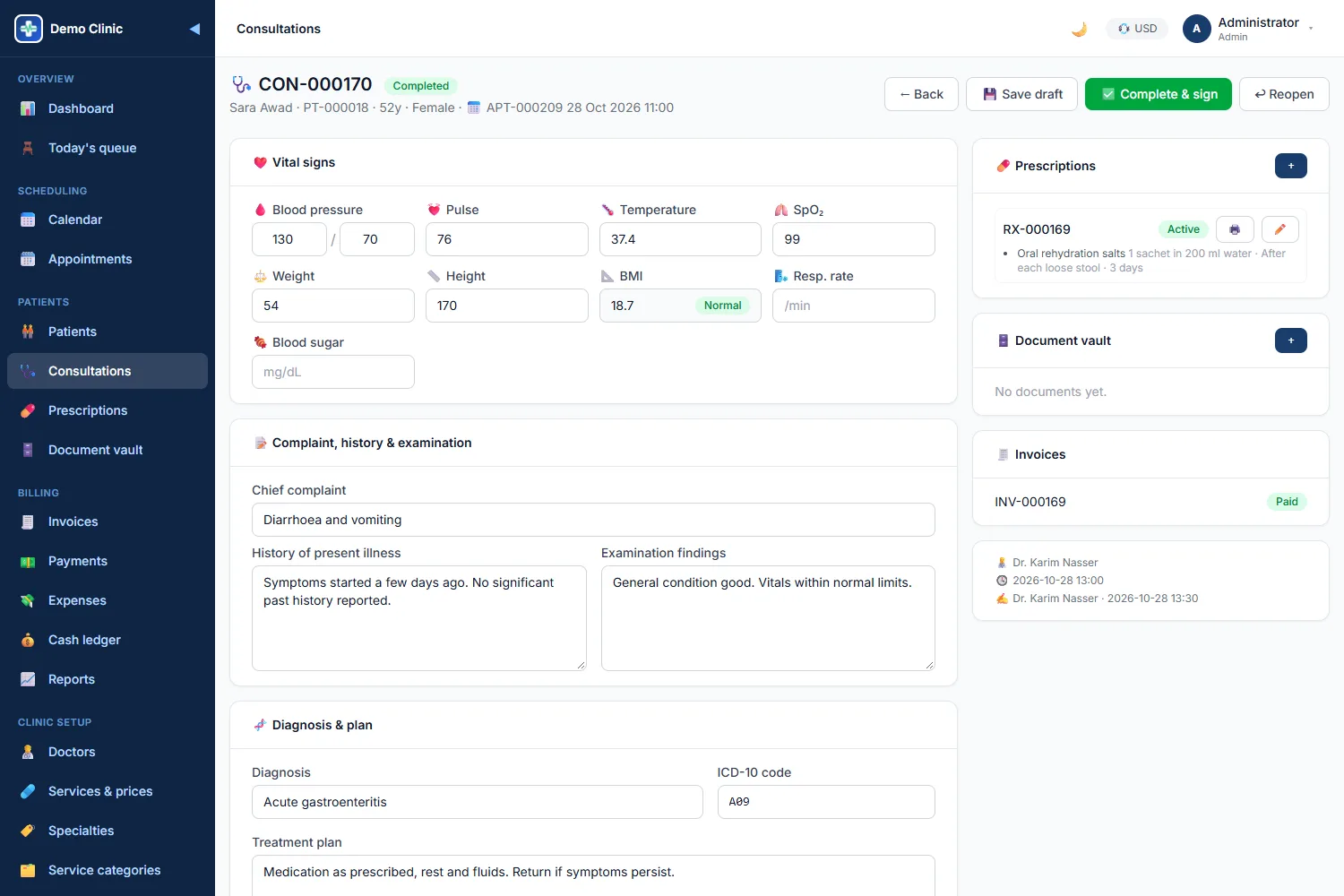
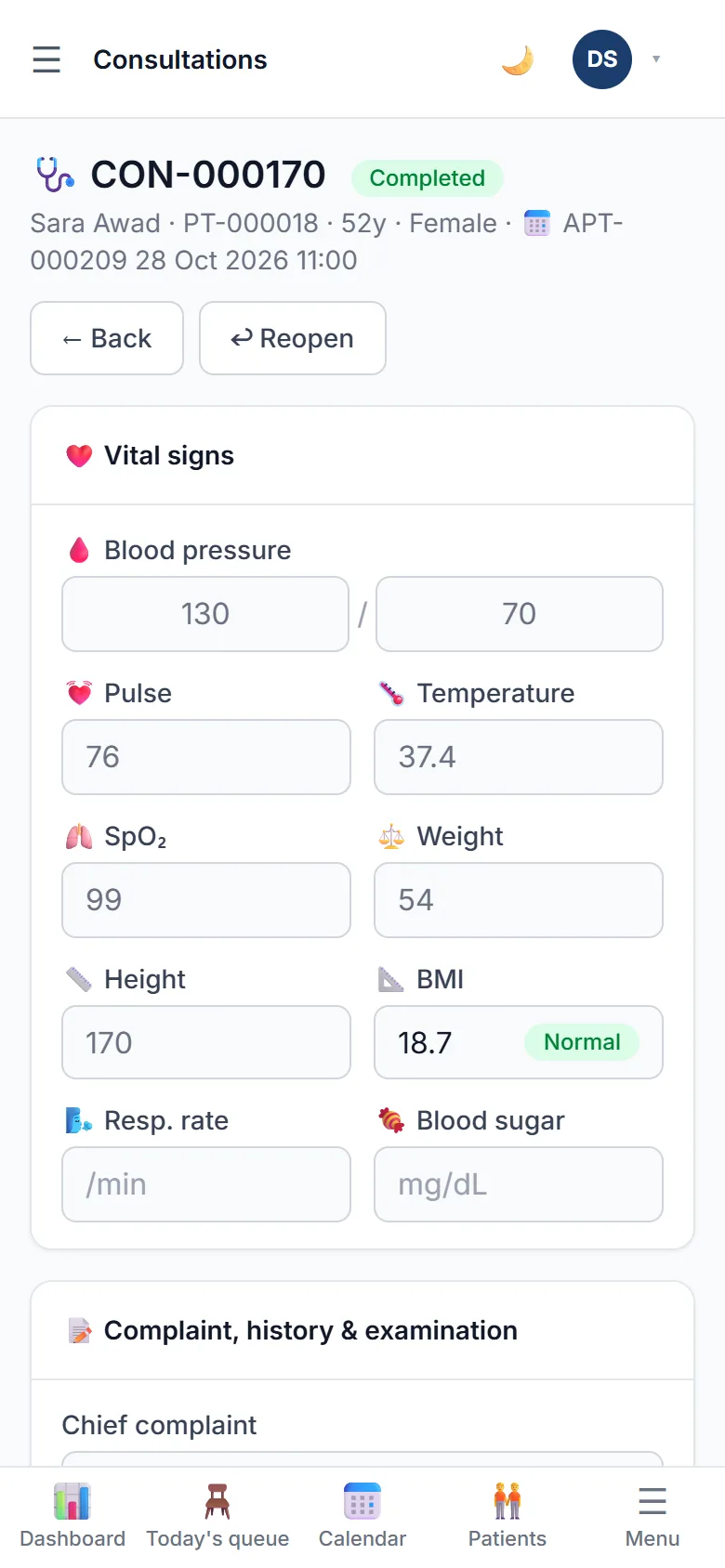
Vital signs with automatic BMI, complaint, history, examination, diagnosis with ICD-10, treatment plan and follow-up date. Complete and sign to lock the record.
Medicine catalogue with default dosage, frequency and duration. Printed as a PDF with the clinic's logo and the doctor's name.
Allergies, chronic conditions, surgeries, family and medication history, immunisations, plus lab results, imaging, reports and consents as files.
Invoice created from the visit in one tap using the doctor's default service or fee. Discount, tax, several payments, refunds, overdue tracking, PDF invoice and receipt.
Record the insurer and the policy number on the patient, and the insurance share on each invoice. The patient's due amount is calculated for you.
Expenses by category with approval, and an append-only ledger of every payment, refund and expense, so the cash position is always known.
Today's board, month KPIs, 14-day and 12-month trends, revenue by doctor and service, no-show rate, diagnoses, outstanding aging, P&L and cash book.
E-mail reminders before the appointment, no-show tracking per patient, and follow-ups due this week on the dashboard.
Receptionist, nurse, doctor, accountant, manager, administrator and viewer, each with its own permissions. Every change is stamped with who and when.
A patient walks in. The receptionist checks them in, the nurse records the vitals, the doctor writes the consultation and the prescription, and the invoice is created and paid, all from the same visit, in the order it really happens.
Today's queue
Wednesday, 28 October
2
Waiting
1
In consultation
1
Done
The board refreshes itself. Doctors see only their own patients; the front desk sees every doctor.
The queue board is the front desk's home screen: four columns, one tap per action, the waiting time counting up next to each patient.
Day view shows one column per doctor, week view one column per day. Tap a free slot to book; the slot picker only offers times the doctor actually works.
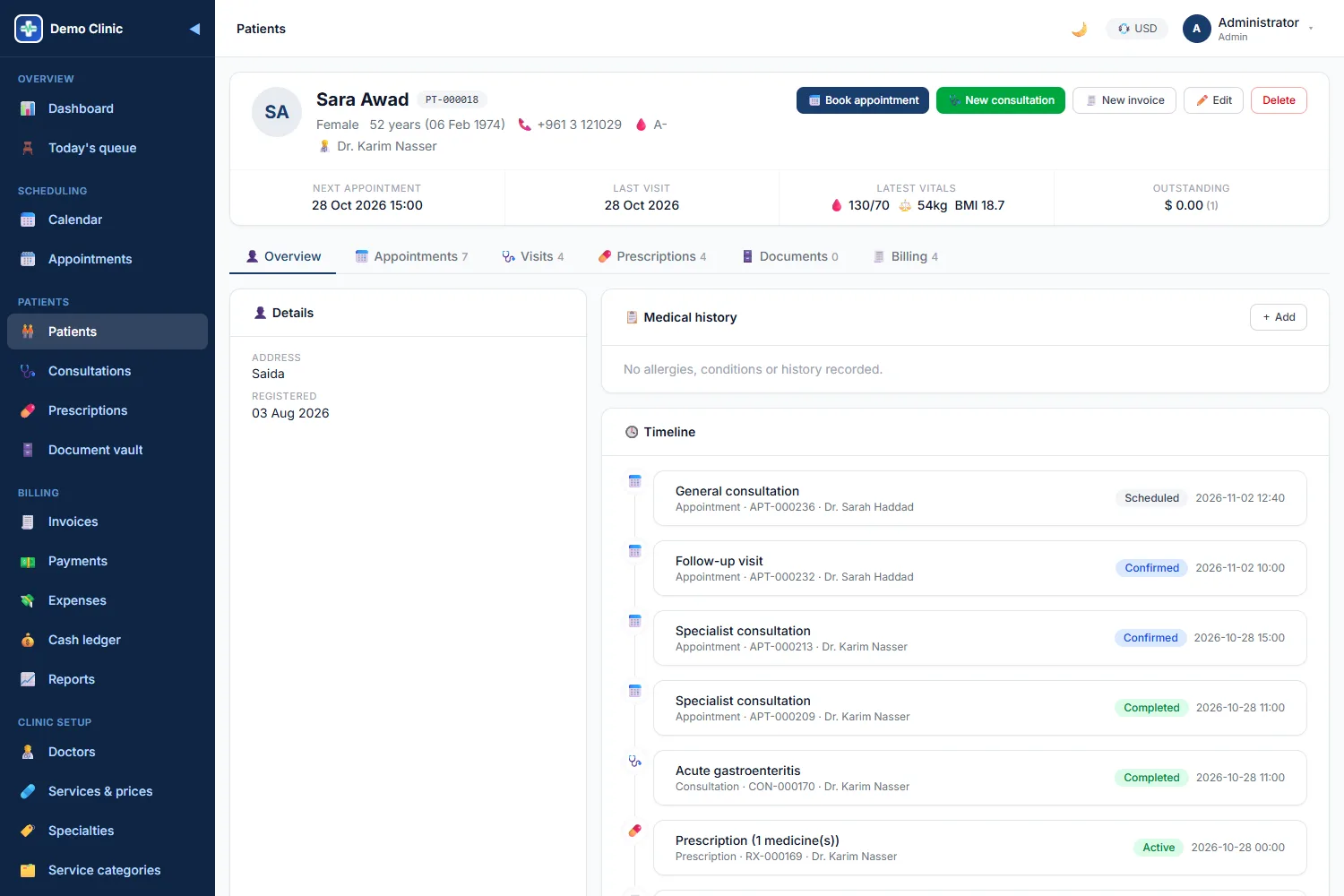
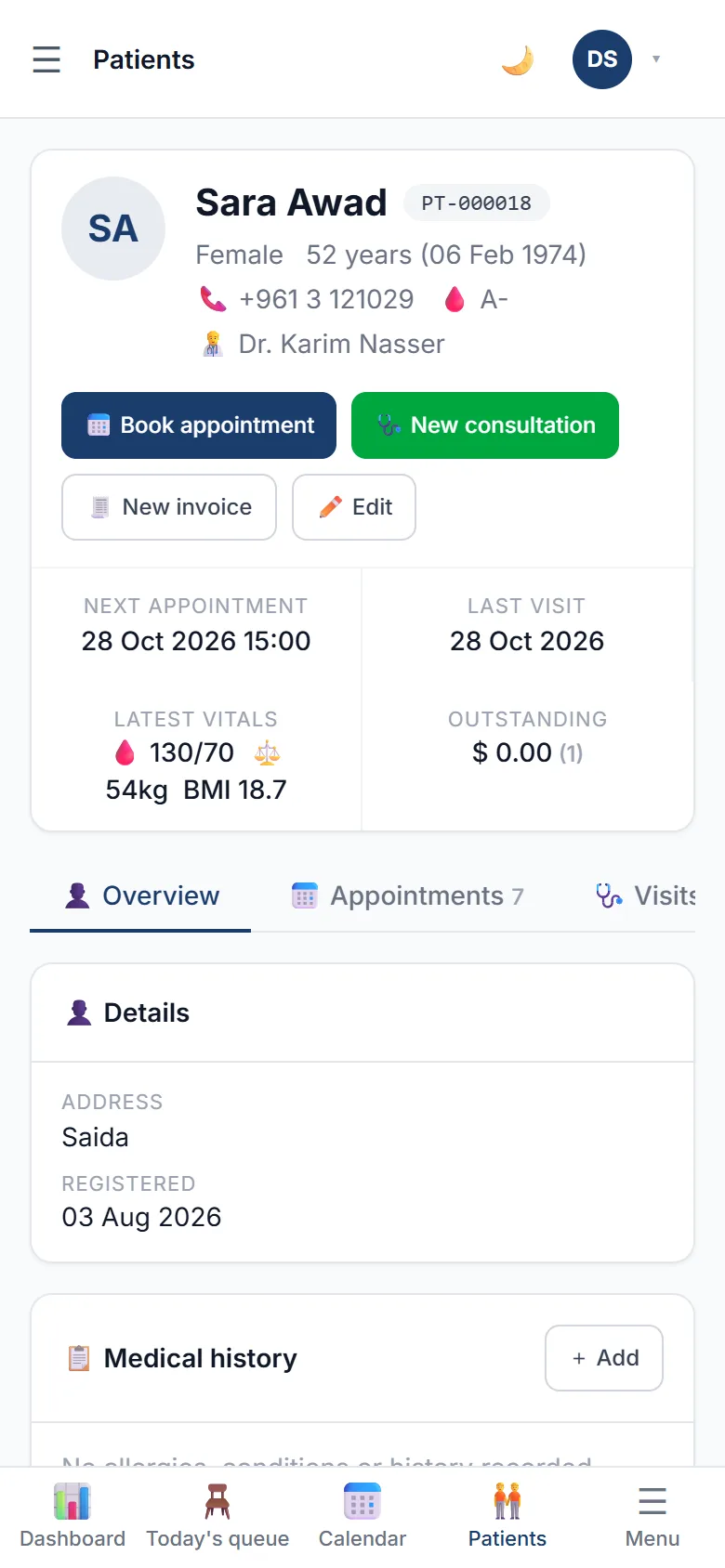
Next appointment, last visit, outstanding balance and latest vitals at the top; appointments, consultations, prescriptions, documents and billing in tabs below.
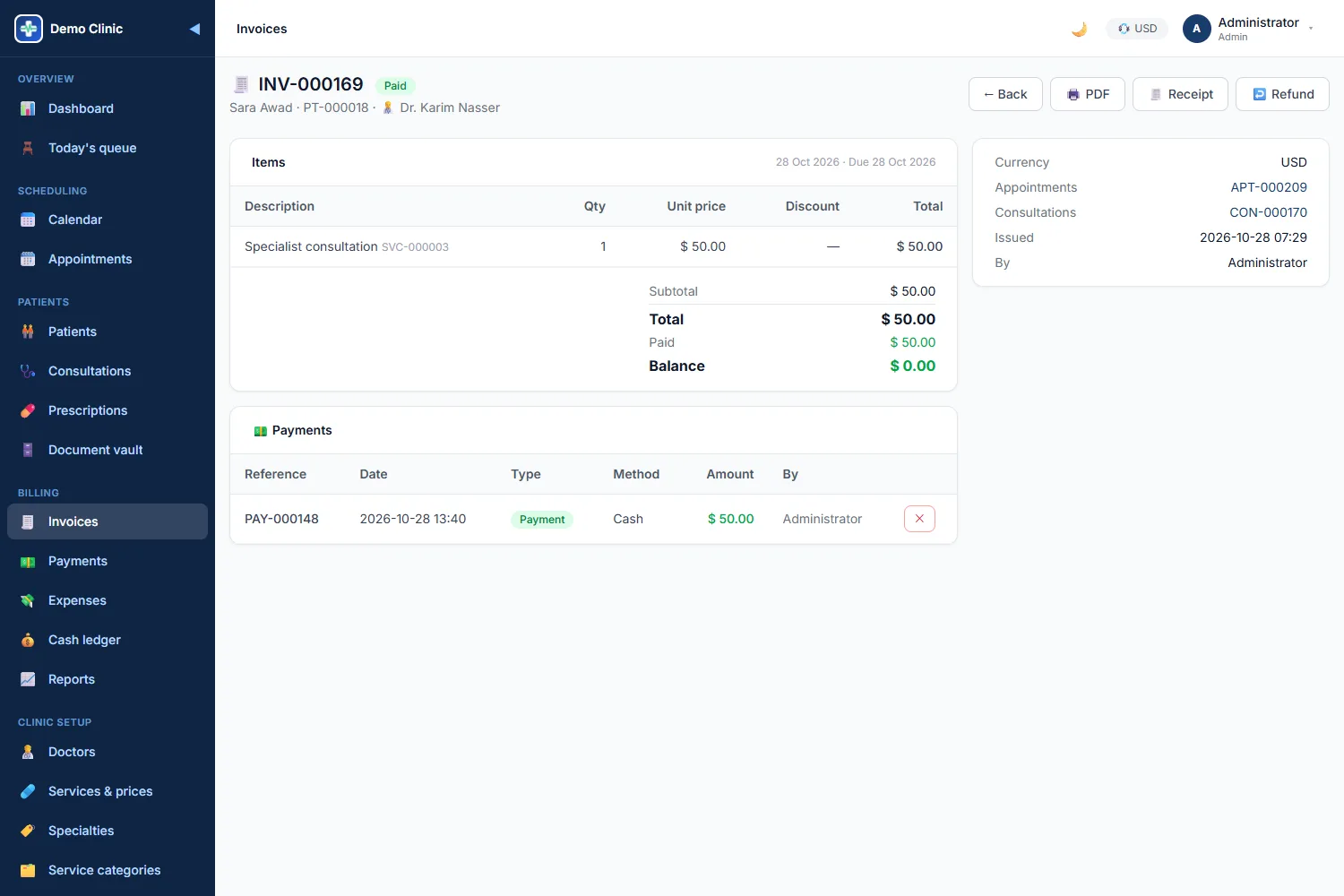
The invoice is created from the appointment or the consultation with the right service line already filled. Take a payment, print the receipt, done.
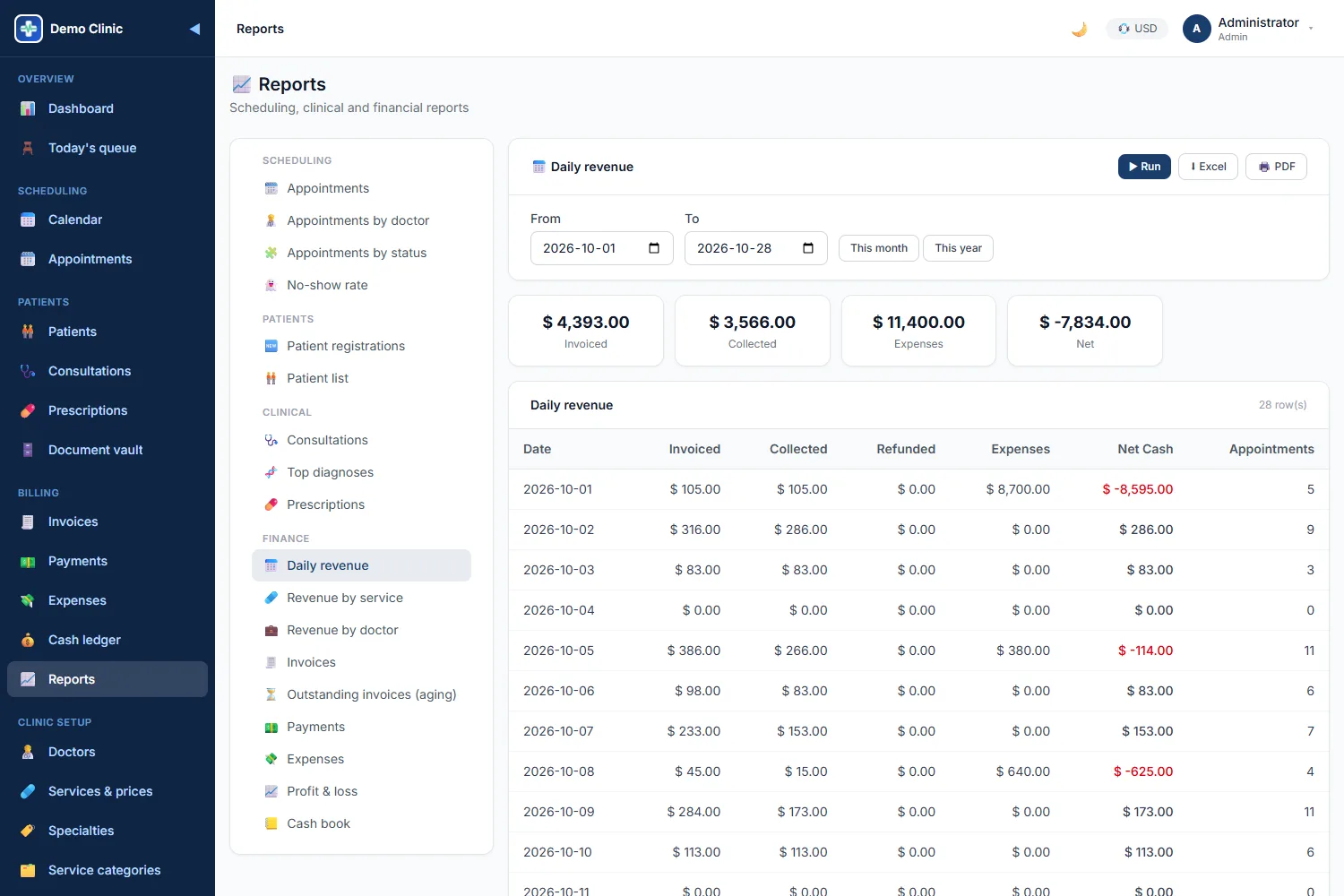
Eighteen reports across scheduling, clinical and finance, each with filters by period, doctor and status, exported to Excel or PDF.
The same clean interface on every screen, designed for people who have a patient in front of them.
Today's board, month KPIs, follow-ups due and doctors on duty.
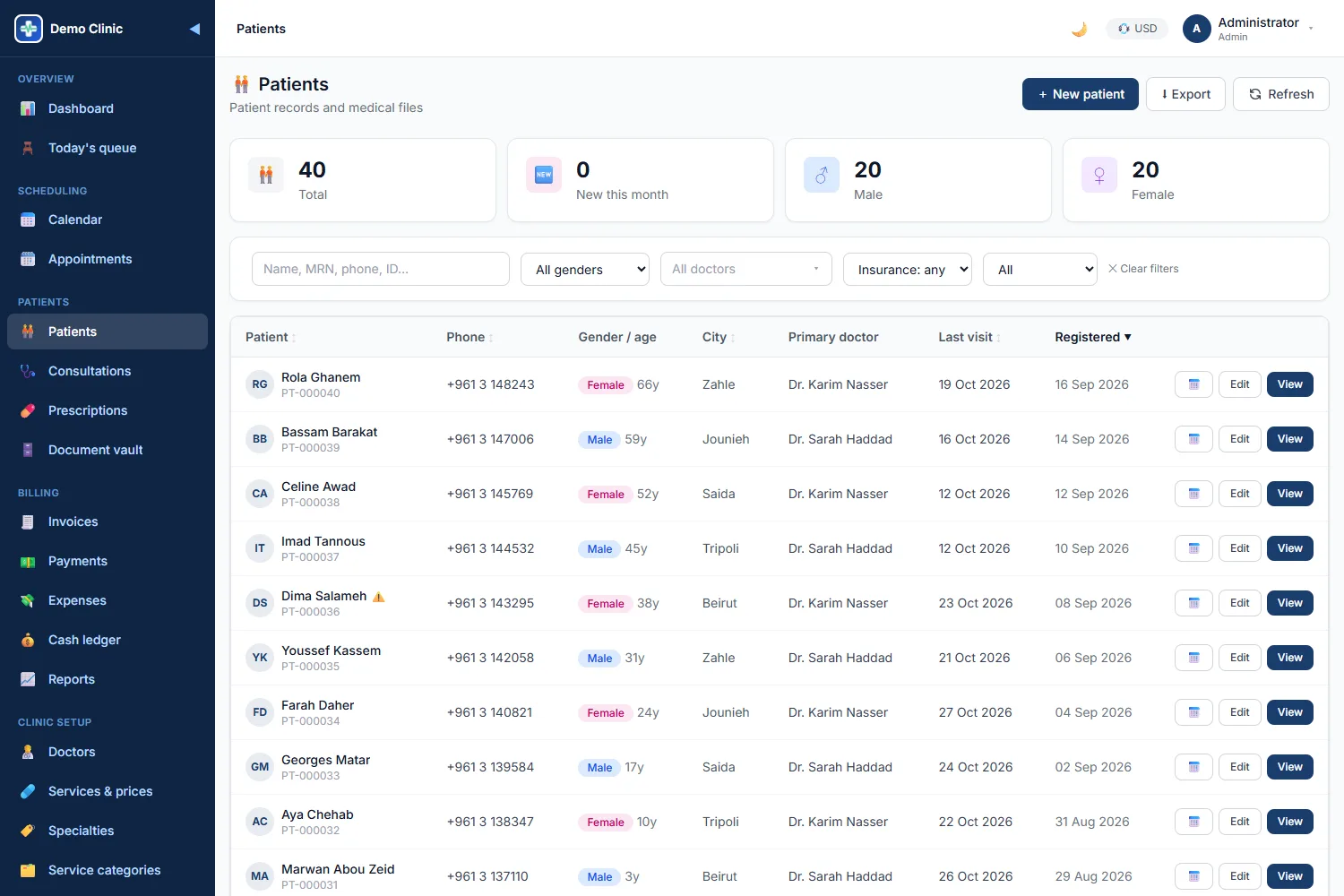
Search as you type, last visit, outstanding balance and allergy flags.
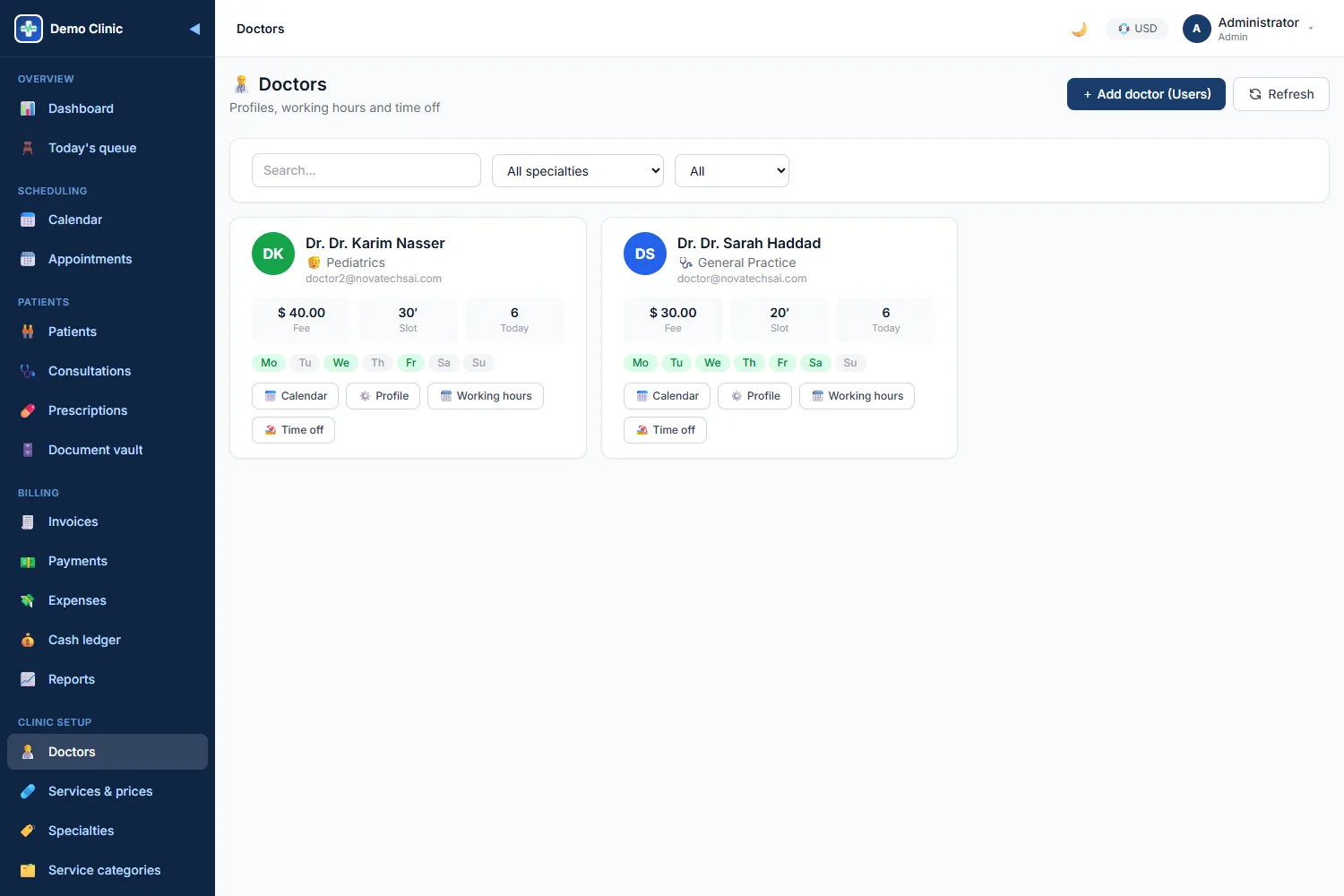
Specialty, consultation fee, weekly hours and time off per doctor.
The example below follows a patient with a sore throat from the phone call to the follow-up.
The receptionist finds the file or creates one with a name and a phone number, in seconds.
The slot picker shows the free times of the doctor the patient asked for. A reminder e-mail goes out the day before.
One tap checks them in. They appear in the waiting room column with the waiting time counting.
Blood pressure, pulse, temperature, weight, height and SpO₂. BMI is calculated and out-of-range values are flagged.
Starts the visit from the board, writes complaint, examination, diagnosis with ICD-10 and the plan, adds the prescription and signs.
One tap, with the doctor's consultation fee already on it. Insurance share is deducted if the patient is covered.
Cash or card, full or partial. The receipt prints with the clinic's logo, and the ledger is updated.
The follow-up date from the consultation appears on the dashboard this week, and the next appointment is booked from the file.
Each person sees and does only what their job requires.
Registers patients, books and reschedules, checks patients in, creates invoices and takes payments.
Records vitals, prepares the consultation and uploads documents to the vault.
Runs their own queue, writes consultations and prescriptions, orders follow-ups and sees their own dashboard.
Invoices, payments, refunds, expenses, cash ledger, financial reports, services and prices.
Everything operational: doctors, schedules, services, settings and all reports.
Users, roles and permissions, clinic settings, reference data and the audit log.
Read-only access to dashboards and reports for owners and partners.
Every check-in, signature, invoice, payment and approval is stamped with who did it and when, and every change is written to the audit log.
The admin app installs on the phone's home screen with a bottom bar for the queue, the calendar and the patients. Native Android and iPhone apps cover the people who are on their feet all day.
Ask us for the install link for your clinic.
Built-in safeguards keep the record trustworthy, and your numbers flow to the people who need them.
Each clinic runs in its own isolated database, with its own users, settings and logo.
Clinical screens for clinical staff, money screens for finance. Doctors see their own board by default.
Who booked, checked in, prescribed, invoiced, paid and approved, and when, on every record.
A completed and signed consultation cannot be edited; only an administrator can reopen it, and that is logged.
A new patient with the same name and phone as an existing one is flagged before it is created.
Excel, CSV and PDF for every list and report, and a documented REST API for your accounting or lab systems.
Tell us about your clinic, how many doctors you have and how you work today. We will walk you through the platform and set up a demo with realistic data.
We usually reply within one working day.